
Pairwise

Two windows,one pair.

Download for Mac

Free and open source. Needs macOS 15 or later.

Snap groups for your Mac. Bring two windows of any app together and they join: they move together, share their seam, come to the front together and come apart again easily.

Pairwise works with the apps you already have, and needs nothing from them.

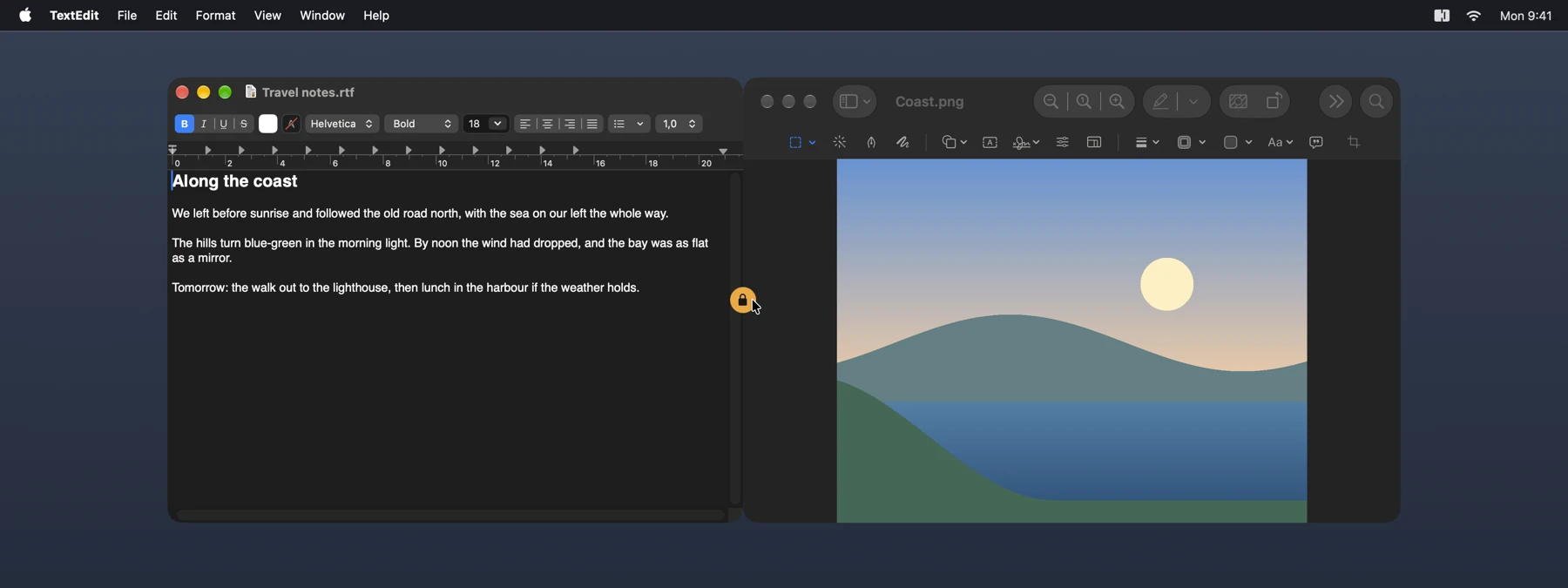
TextEdit and Preview joined side by side, with the closed lock on their seam.

Join, move, come apart

All of it with the windows themselves.

  • Join. Drag a window to another and press ⌘, or click the open lock on the seam of two windows side by side. Add ⇧ for the same height.
  • Move together. Drag either window of a pair.
  • Share the seam. Drag the edge between them to resize both.
  • Come apart. Click the closed lock on the seam, or press ⌘ while dragging one of them.
  • Pairs that last. A pair comes back after a quit and a restart of your Mac.
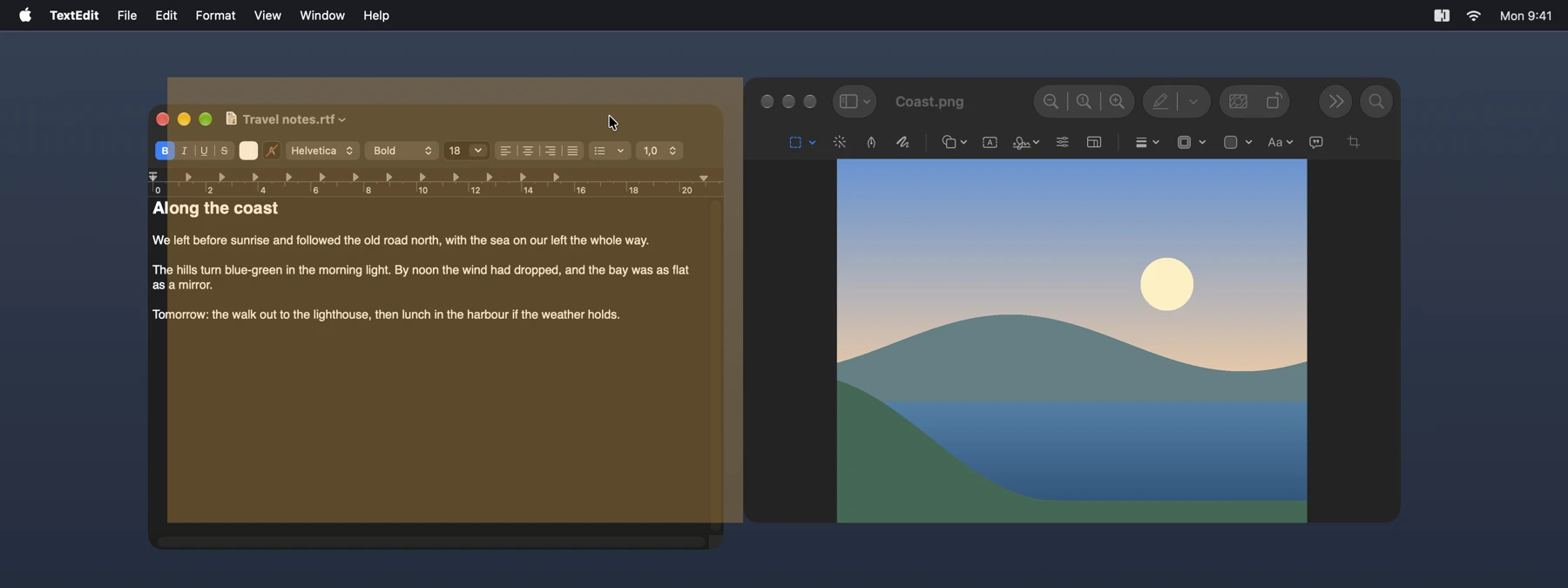
TextEdit being dragged to Preview with Command pressed, and the guide showing where it will join.
While you drag with ⌘ pressed, a guide shows where the window will join.

What you see while dragging

Moving the real windows lags visibly behind the pointer, so while you drag a pair you see something else in their place. You choose what.

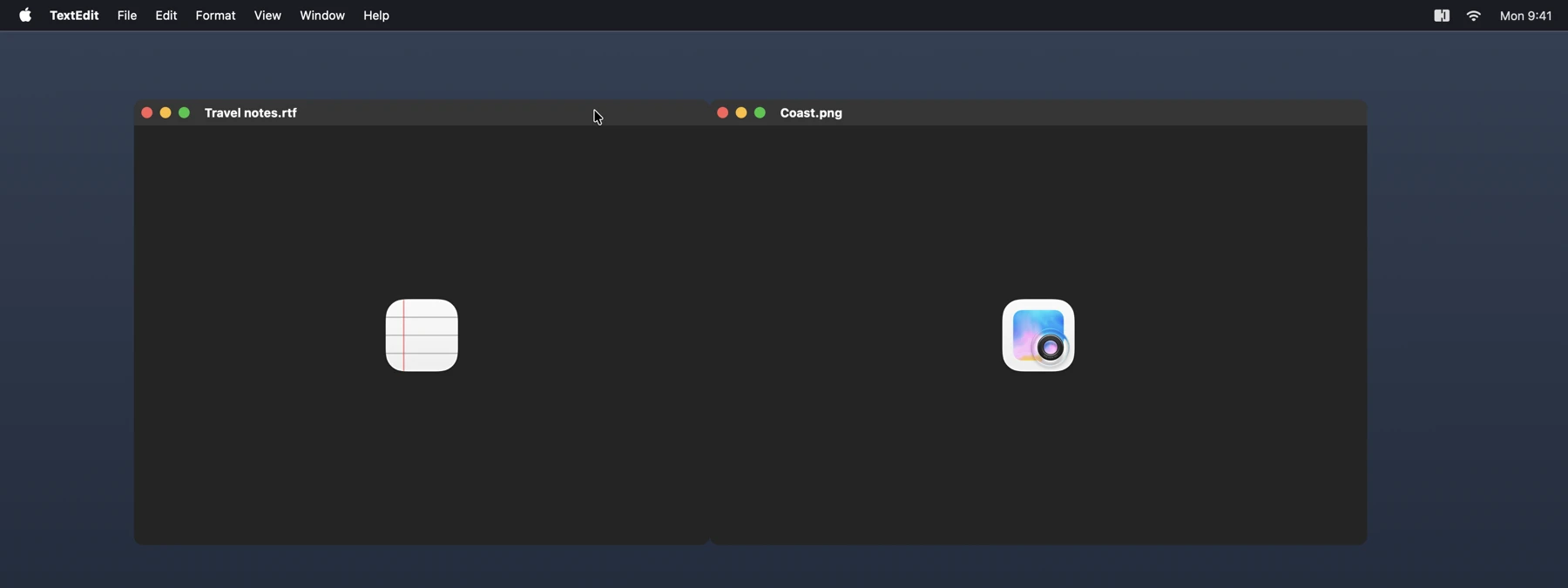
  • Placeholder is what Pairwise starts with: an empty plane with the window’s icon and title. Nothing is recorded, and Pairwise does not even ask for Screen Recording.
  • Still shows one picture of the two windows when you start dragging. Video stands still during the drag, and the seam can look stretched.
  • Live keeps video playing and the seam sharp. macOS then shows its purple recording icon during the drag, as it does for every app that captures a window continuously.
A pair being dragged, shown as two empty planes with each app’s icon and title.

Your windows stay yours

Pairwise lives in the menu bar and needs one permission: Accessibility, to move and resize the windows you join.

Still and Live take the Screen Recording permission, which Pairwise asks for when you choose one. They capture only the two windows of a pair, and only from the moment you press one of them or their seam until you let go.

The pictures stay in memory, and are not saved or sent anywhere. Pairwise is open source, so you can check this in the code.
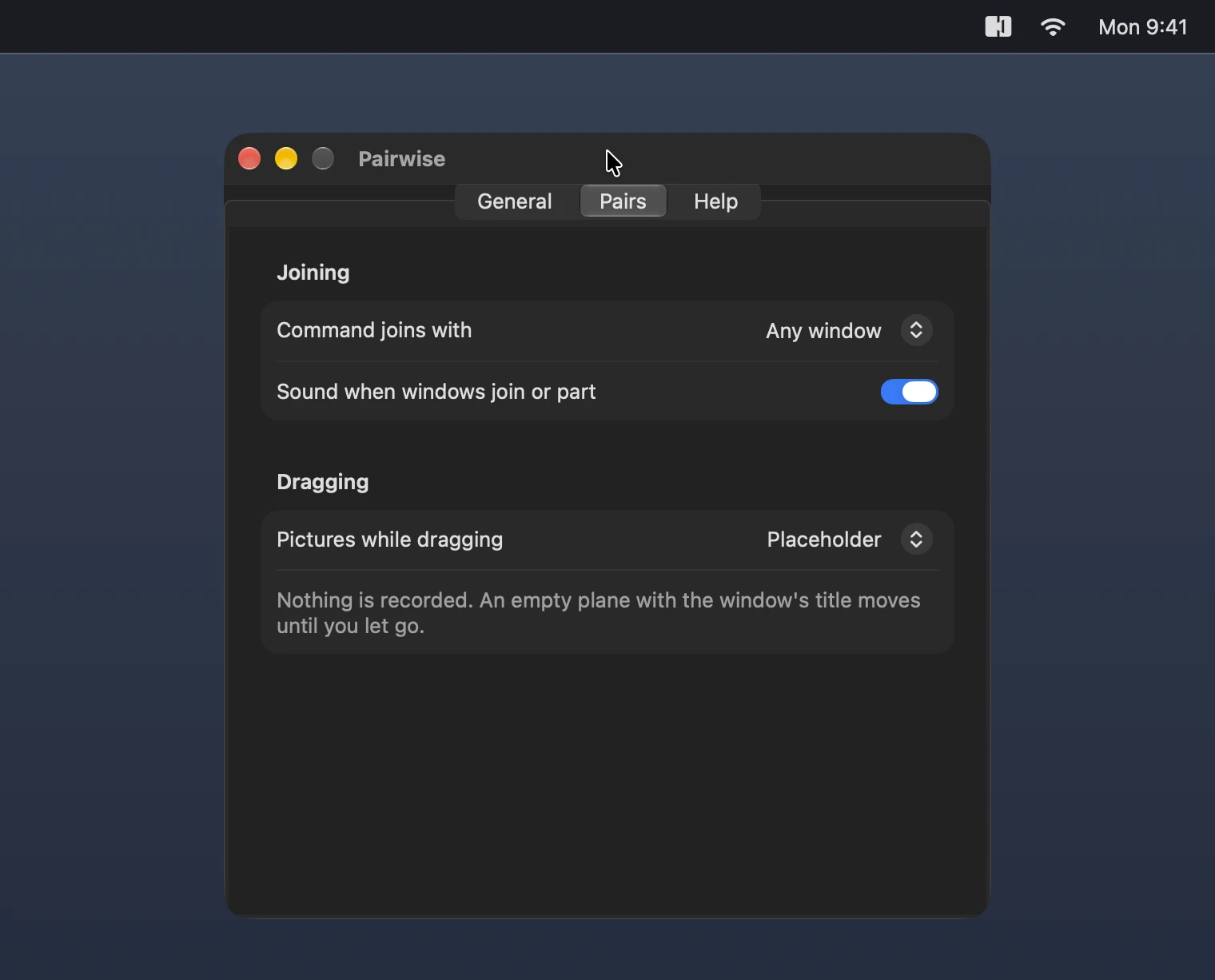
The Pairs tab of Pairwise’s settings, with the choice of pictures while dragging.

Install

It is signed and notarized by Apple, so it opens without a warning.

  1. Download the disk image.
  2. Open it and drag Pairwise onto Applications.
  3. Start Pairwise from Applications.

Or use Homebrew:

brew install --cask mag243/tap/pairwise

Started from anywhere else, Pairwise offers once to move itself into Applications, where it can keep itself up to date. All versions and what changed in each.

Updates

Pairwise checks for a new version once a day and asks before it installs one. You can check by hand with Check for Updates… in its menu, and turn the daily check off in its settings. The check only reads a list of versions from this site.

Every update is signed twice, by Apple’s Developer ID and by Pairwise’s own update key, and is installed only when both check out.

Requirements

macOS 15 Sequoia or later, on Apple silicon or Intel. Pairwise speaks English, Dutch and German, following your system language.

Uninstall

Quit Pairwise and drag it from Applications to the Trash. With Homebrew, brew uninstall --zap --cask pairwise also removes its settings. macOS keeps the permissions under Privacy & Security in System Settings, where you can remove them.

Feedback and source

Found a bug? Open an issue. The source is on GitHub, under the MIT license.